
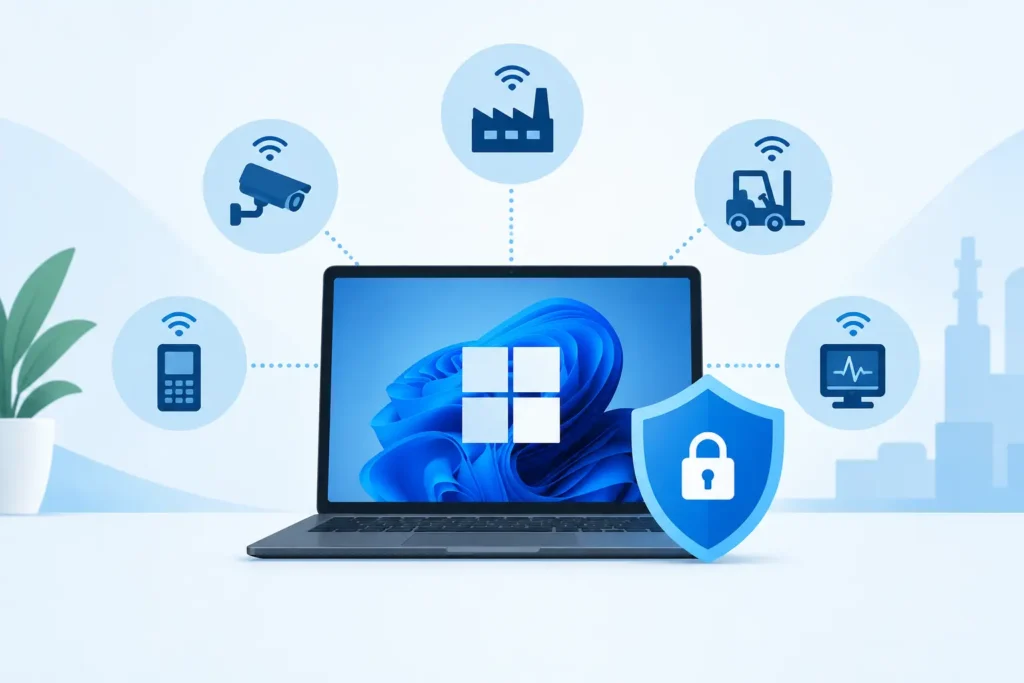
Windows 11 IoT Enterprise License Explained
A Windows 11 IoT Enterprise license is built for a PC that has one job to do well. Think of a retail point-of-sale terminal, a self-service kiosk, a digital sign, a medical device, or a factory workstation. These systems need the familiarity and security of Windows, but they also need tighter control than the average office or home computer.
That difference matters when you buy. Windows 11 IoT Enterprise is not simply Windows 11 Pro with a different name. It is designed for fixed-purpose devices, often deployed in larger numbers and managed for years. Choosing the right edition and license up front helps prevent activation issues, unexpected feature gaps, and a costly redeployment later.
What Is a Windows 11 IoT Enterprise License?
Windows 11 IoT Enterprise is a Windows edition for dedicated devices. It uses the same core Windows platform that IT teams already know, making it easier to run familiar desktop applications, use standard drivers, and apply established management practices.
The IoT Enterprise difference is in device control. Depending on the version and configuration, organizations can use features that limit what users can access, replace the standard Windows shell with a business application, filter unwanted keyboard shortcuts, and protect a known-good device setup. This is useful when a customer should only see a check-in screen, an employee should only use a warehouse app, or a public terminal must stay on task.
A license is generally assigned to one device rather than one person. That makes sense for an embedded or fixed-purpose deployment: the computer is licensed for its role, whether it is used by one employee, many shift workers, or the public.
Windows 11 IoT Enterprise License vs. Windows 11 Pro
Windows 11 Pro is an excellent choice for general business PCs. It supports professional productivity, business networking, remote work, and a flexible desktop environment. If your staff need to install different applications, browse the web freely, create documents, and use a standard Windows experience, Pro is often the more practical option.
Windows 11 IoT Enterprise is for a different type of machine. Its value comes from keeping a device focused, consistent, and easier to maintain. A digital signage player should not become a general-use PC. A checkout terminal should not allow a user to reach system settings. An industrial controller may need to run the same approved application every day with minimal interruption.
The trade-off is equally clear. IoT Enterprise requires more planning. You need to define the device purpose, application requirements, user access, update approach, and hardware compatibility before deployment. It can be the right long-term choice for a dedicated device, but it is not automatically the right choice for every business computer.
Choosing the Right Windows 11 IoT Enterprise Edition
Before purchasing, start with the lifecycle your device needs. Some deployments need current Windows features and a regular update cadence. Others prioritize a stable platform for equipment that will remain in service for many years. Long-Term Servicing Channel, commonly called LTSC, is often considered for specialized devices where change must be carefully controlled.
LTSC can be a strong fit for a kiosk, production station, or regulated device that runs a single validated application. It reduces the disruption of frequent feature changes, but it is not intended for every everyday desktop. A standard business workstation that depends on constantly changing productivity tools may be better served by a mainstream Windows edition.
Also confirm the application environment. Check whether your software vendor supports Windows 11 IoT Enterprise, whether the device needs specific drivers or peripherals, and whether its processor, memory, storage, and security hardware meet Windows 11 requirements. A valid key cannot solve an incompatible hardware or software design.
For organizations buying multiple licenses, document the exact version, edition, language, and device assignment for each unit. This simple record makes future support, audits, replacements, and refresh projects far easier to manage.
Features That Make Sense for Dedicated Devices
The exact tools available can vary by Windows release and configuration, but IoT Enterprise is commonly selected for controls that support a focused device experience. Assigned Access can limit an account to one application or a defined set of applications. Shell Launcher can replace the usual Windows desktop shell with a custom business app. Keyboard Filter can block key combinations that would let a user leave the intended workflow.
Unified Write Filter is another feature many embedded deployments evaluate. It can help protect a device configuration by redirecting writes, allowing the system to return to a known state after a restart. This can be useful in public-facing environments, though it must be configured carefully so that necessary data, updates, and application changes are saved correctly.
These features are not magic switches. A locked-down device still needs testing, account management, security policies, physical security where appropriate, and a recovery plan. The best deployments combine the right Windows edition with a clear operational process.
Licensing Questions to Answer Before You Buy
A Windows 11 IoT Enterprise license should match the device and its intended use. Start by confirming that the system is a dedicated device, not a general-purpose employee PC. Then verify which specific Windows 11 IoT Enterprise release you require and whether an LTSC option is appropriate.
You should also ask how activation will work in your environment. Some deployments use a product key during installation, while others may follow an OEM, volume, or device-manufacturing process. Licensing channels and transfer rights can differ, so do not assume that a key intended for one situation can be moved freely to another computer.
If you are replacing failed hardware, planning a refresh, or purchasing devices in batches, get clarity before installation. The cost of pausing a kiosk rollout or reimaging a line of terminals is usually far greater than the time spent checking license suitability first.
For a straightforward digital purchase, LicenseCraft provides genuine software licenses with product keys delivered by email, plus activation guidance and real-person support when you need help confirming the right product. For volume orders or specialized device projects, a quick consultation can save time and prevent a mismatch.
Installation and Activation: Keep the Process Controlled
Install Windows 11 IoT Enterprise from the correct installation media for your licensed edition. During setup, enter the supplied key when prompted, or activate according to the instructions provided with your purchase. Once Windows is installed, confirm the edition and activation status before applying your full device configuration.
For a single unit, this can be a short process. For multiple devices, create a repeatable deployment image and test it on representative hardware first. Validate peripherals such as barcode scanners, receipt printers, touch displays, card readers, cameras, and serial devices. Test power recovery too. A device that works perfectly after a manual restart may behave differently after a power interruption in the field.
After activation, apply your access restrictions and test them from the perspective of the actual user. Confirm that the business application launches as expected, approved maintenance staff can still service the device, and unauthorized users cannot reach tools they should not use.
Updates, Security, and Ongoing Support
A dedicated device still needs a maintenance plan. Decide who will review updates, how they will be tested, and when they will be deployed. If the device supports customers or critical operations, schedule maintenance outside peak hours and keep a tested rollback or recovery option available.
Security starts with the basics: supported hardware, strong administrator controls, limited user privileges, disk protection where appropriate, endpoint security, and a network design that matches the device’s risk level. A kiosk on a public network has different needs than a production workstation on a segmented internal network.
Do not treat a fixed-purpose setup as a set-it-and-forget-it project. The goal is stable operation, not permanent neglect. Regular checks keep the device reliable while preserving the controlled experience that made IoT Enterprise the right choice.
The best Windows 11 IoT Enterprise deployment begins with one practical question: what must this device do, and what must it never be allowed to do? Once that answer is clear, the right license, edition, configuration, and support plan become much easier to choose.