
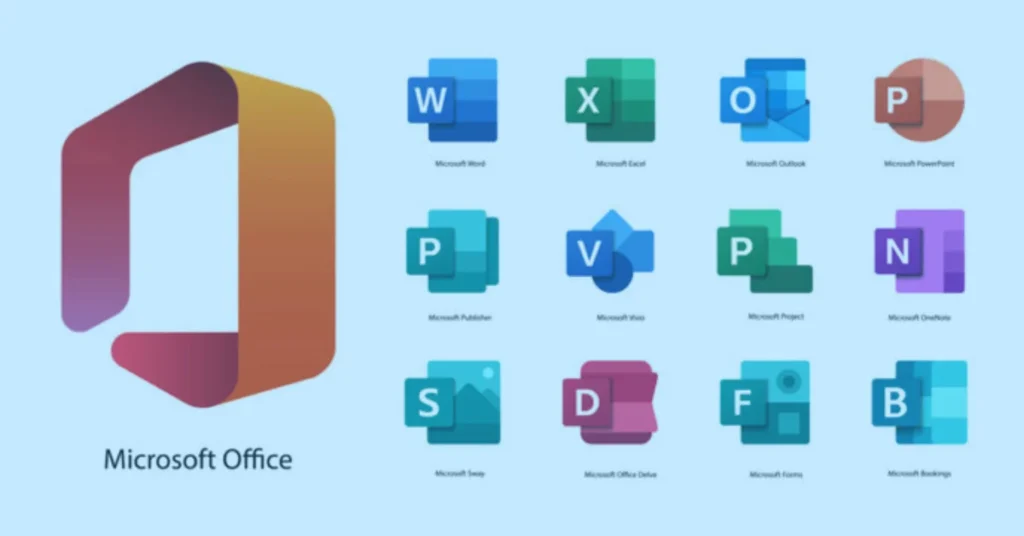
Microsoft Office 2021 Home and Student Guide
Microsoft Office 2021 Home and Student is a very reliable and one of the most popular software suites for productivity worldwide. This version, tailored mainly for students, families, and home users, delivers the main essential Office applications through a one-time buying model. Instead of subscription-based services, Office 2021 Home and Student comes with lifetime access to the core applications with no monthly or yearly fees.
This version is perfect for users who mainly want to use stable, offline productivity software without dealing with subscription issues. It is capable of long-term use and students can rely on it to finish their assignments without worrying if the software license will expire.
Microsoft Office 2021 is the latest version of the Office suite. It keeps the old interface that users are familiar with and integrates new features for better performance, accessibility, and security. Besides the new functions in Excel, PowerPoint’s smoother animations, and the word processor’s better writing tools, Office 2021 Home and Student packs a robust productivity suite that is more than enough for household/non-commercial use.
Microsoft Office 2021 Home and Student Features
Microsoft Office 2021 Home and Student package features three major software: Microsoft Word, Microsoft Excel, and Microsoft PowerPoint. These three programs are the main source of productivity for all academic and home purposes. Every software has been developed and enhanced for more efficient operations, stronger reliability, and incorporation of modern features that you otherwise had to purchase separately.
Microsoft Word comes with sophisticated document layout options, intelligent writing tools, and better accessibility features. Pen research papers, business letters, resumes, formal letters, and much more with Word. Excel, your trusty spreadsheet software, comes with powerful capabilities to work with data. Among them are new modern functions, dynamic arrays, faster formula calculations, and better data presentation features. With PowerPoint, users can make their presentation slides more engaging by using smooth animation, advanced slide transitions, and multimedia support.
It may be a limitation not to have Outlook, Access, or Publisher included in this version, but it aims to provide the essential applications that the majority of home and student users will need. By focusing on these three powerful tools only, Microsoft is able to keep the software lightweight, fast, and user-friendly.
Benefits of One-Time Purchase and Lifetime License Model
Microsoft Office 2021 Home and Student can be purchased as a perpetual license product. That is, when people buy it, they are the owners of the software forever and not renters or subscribers. What they get is not only a product/feature license but also a full life license. Moreover, some features will still receive security updates and continue to run stably as long as the product is supported.
This everlasting license guarantees that the software will stay on the device once installed without any time limit. Users will have no problem with Word, Excel, and PowerPoint even without Internet access. Although it does not have all the features of Microsoft 365 that get updated all the time, it is still a very solid product and gets security patches and other improvements during its support lifecycle.
Such a license model provides some advantages for those who mainly work offline or do not necessarily need advanced cloud collaboration tools. Holding a license for a lifetime without subscription provides security and transparency in money matters. It offers reliability and long-term stability without tying users to a subscription plan.
Microsoft Word 2021 – Advanced Document Creation
Microsoft Word 2021 in the Home and Student edition provides an excellent writing environment. There are design tools updated to the latest trends, navigation has been improved, and there are great enhancements in the accessibility features to accommodate different types of users. Students will have an easier time coming up with drafts of their assignments, research papers, and reports since they are provided with professional formatting tools. The integrated Editor feature will locate grammar and spelling errors, and suggestions from the AI assistant will make the text clearer and readable.
The layout is still recognizable, only slightly changed and performance has been uplifted with scrolling that is now much more fluid. Long writing sessions will be more pleasant with dark mode support. You are even able to co-author Word documents in real-time if the document is stored on OneDrive which is a collaboration feature. But the major upside of Word is still its strong offline functionalities.
Working with templates is one way of getting more output in less time. Word 2021 has a good range of templates for resumes, letters, reports, and project proposals. Using these templates, one can easily make a document that not only looks professional but actually is professionally formatted, without the hassle of designing. You will encounter no problems in sharing your files with someone working on an old version of Word as you still have full backward compatibility with Word 97-2003 file formats.
Microsoft Excel 2021 – Powerful Data Analysis
Excel 2021 has a number of enhancements in performance and functionalities that have a huge impact on the way data can be handled. Granting you access to a great set of functions like XLOOKUP and XMATCH, Excel 2021 provides you with the capabilities that will facilitate your spreadsheet management and help you simplify the complexity of the lookup operations. Thanks to the new feature of dynamic arrays, one formula can now fill multiple cells automatically, hence doing the calculations more efficiently and preventing manual inputs errors.
On an individual level, students can utilize Excel for academic data analysis, budgeting, statistical calculations, and project tracking. On a household level, families can monitor their expenses, manage savings plans, and make financial forecasts through well-structured spreadsheets. Through the use of enhanced charting tools in Excel, the user can effectively communicate the message by means of visual data presentation such as graphs and diagrams which can thus help to lead to clearer thinking and better decisions.
The Excel 2021 version also introduced some major improvements aimed at the efficiency of the software in which case the software handles larger datasets much more smoothly. The application re-calculates faster and the version now only uses the right amount of memory which is the most efficient way possible to run the software. Because of these changes, Excel 2021 can be considered as a very dependable tool for handling a variety of data tasks ranging in complexity from simple to quite moderate.
Microsoft PowerPoint 2021 – Professional Presentations
With PowerPoint 2021, users can design eye-catching presentations for school, university, and home projects. The features are comprehensive enough to include modern slide transitions, animations are more fluid, and there is support for multimedia of higher quality. Students in school can make their presentations livelier while home users can make use of the application for creating slideshows for various occasions or for sharing their personal stories.
The Presenter View has been introduced to help the users feel more self-assured when presenting as this mode displays on a separate screen, the presenter’s notes and the timing tools. The capability of recording has been enhanced to enable users to also record their voice alongside the slides and the timings thus facilitating the making of video presentations. High-resolution photos and video embedding are among the features that will add to the quality of the output.
Design ideas and formatting suggestions are at a user’s disposal to make slides look better even if no design skills have been acquired. With the help of these in-built tools, visual harmony is kept through the slides, and the presentations appear neat and well-organized.
Performance Improvements and Stability
Microsoft Office 2021 Home and Student gets an upgrade with speed and responsiveness which is measured by how fast the applications open, how well they handle files, and how easily you can switch between different viewports or parts of the same document. The team at Microsoft has also made some changes in the core architecture so that the applications run more stably and the instances of the applications crashing are decreased.
The latest memory management system lets the user operate with bigger documents and spreadsheets without experiencing the application slow-down. So this is one of the many enhancements that contribute to a very smooth and hiccup-free user experience especially when one considers a student whose academic assignments require quite complex use of software.
The importance of security updates cannot be overstated as they are the mainstay of the Office 2021 lifecycle. Microsoft may keep the feature additions to a minimum, but the company is still very much active in providing patches that will shield users from vulnerabilities. In that manner, document creation and data management activities are being safeguarded at all times.
System Requirements and Compatibility
Microsoft Office 2021 Home and Student is designed to work with Windows 10/11 and the supported versions of macOS. The hardware requirements are not too high, so most recent computers should be capable of running it. Generally, a multi-core processor, minimum 4GB RAM, and enough space on the disk are the prerequisites for a hassle-free usage.
The program is available in both 32-bit and 64-bit versions, however, the 64-bit one is the preferred choice for enhanced performance. It is quite handy with OneDrive collaboration for the users who want to save their files in the cloud but can also be used completely offline without any internet connection.
There is a very good level of file compatibility support as the program saves and opens standard file formats like DOCX, XLSX, and PPTX. It is no problem at all to exchange files with people having Microsoft 365 subscriptions or even older versions of Office.
Audit-Proof and Legally Compliant Licensing
When you buy Office 2021 Home and Student from a reliable and authorized Microsoft reseller, you get a genuine and verified license. This is your ticket to audit-proof compliance and legal safety. Original license is your protection against software piracy, activation errors, and legal risks.
Being on the right side of software licensing laws means you always have
When purchasing a software from an authorized reseller, you can expect a genuine, verified license for Office 2021 Home and Student. This is your guarantee of license compliance and legal safety in case of an audit. An original license is a shield against software piracy, activation errors, and legal issues.
access to the official updates and the Microsoft support. Besides, it guarantees that the product key you use is valid and, moreover, is eternally linked to your Microsoft account. This is the case especially for
This is a part of the agreement between you and the software author. It includes getting the updates and support from Microsoft. It also means that your product key is valid and is tied to your Microsoft account permanently. Compliance matters the most when
educational institutions, households, and similar user scenarios where software genuineness and long-term security are highly valued.
Besides compliance, purchasing a genuine license is also a matter of fair use of software and it is an ethical action. Furthermore, it will save you from buying counterfeit keys that can become invalid.
Lifelong Stability and Continuous Security Updates
Though there will be no new feature additions in Office 2021, the company keeps releasing security and reliability patches for the whole supported lifetime of the program. This practice ensures that the software is not only secured against virus attacks but is also quite stable.
A perpetual license means that a piece of software stays legally usable for years. Customers of these software will have always access to the products without worries of price changes or any kind of extra fees that might be introduced by subscription-based services.
This market stability and predictability factor makes the software package Microsoft Office 2021 Home and Student a very good choice for an individual family and students who can be used it without worrying about their changing subscription policies.
Comparison with Microsoft 365
Microsoft Office 2021 Home and Student is very different from Microsoft 365. The biggest difference is in how each product is paid for. Office 2021 is bought once while Microsoft 365 is normally a subscription that you must renew continuously. The later product comes with additional features such as the Outlook application and offers 1 TB of cloud storage, Besides that, it
The most prominent difference between these two products is that one comes as a once off purchase, whereas the other is based on subscription fees. Application-wise, besides the addition of Outlook, Microsoft 365 also includes 1TB cloud storage and gets new updates continuously.
has Office 2021 to continue focusing solely on the basic productivity tools that can be used offline. Software subscription-based cloud collaboration
features will not be included for Office 2021 users. However, if the main need for software is to use only Word, Excel and PowerPoint without any other commitment of subscription, Office 2021 will still be a
Besides the differences in the payment model and the right to use the product, the two systems meet most of the needs of very many users, especially the basic users. In a turn of the coin, the first ones are more inclined to Microsoft 365 owing to its
constant feature innovation and flexibility of multi-device installations, while the others, looking for permanent ownership, usually decide for Office 2021.
Ideal Users for Office 2021 Home and Student
This product is especially helpful to the students whose academic work involves the
Among other end users are the students who are professionally engaged in academic work. The product can also be very useful for the home users who may need it for
regular use as well as a tool for budgeting, creative writing and family projects activities. Most of the parents choose this edition for their children’s education because it is very simple and easy to use and the price is right.
Besides, it is quite suitable for a freelance professional or home-based worker without any commercial activities. Since it still
offers full offline functionality, the user can’t forget about being productive at times when the internet access is either restricted or unavailable in a particular place like in the countryside or country.
Conclusion
Microsoft Office 2021 Home and Student delivers a robust, reliable, and very affordable productivity suite to individuals and families. Offering a one-time purchase only, it bundles the core applications, gives a performance boost and a safe licensing to offer a great, long-term value without being dependent on a subscription. Word, Excel, and PowerPoint carry on being the world’s most popular tools for writing up documents, crunching numbers in spreadsheets, and making presentations.
If the main factors for the user are ownership, stability, and typical Office features, then Microsoft Office 2021 Home and Student is still a very viable option. It brings together Microsoft’s dependable quality with today’s technology, so the user can count on getting his work done reliably for the next few years.
Frequently Asked Questions (FAQs)
1. What kind of products does Microsoft Office 2021 Home and Student consist of?
Microsoft Office 2021 Home and Student contains Microsoft Word, Microsoft Excel, and Microsoft PowerPoint. These programs are mainly for school and personal use.
2. Is Microsoft Office 2021 Home and Student a lifetime license?
Yes, it's a single purchase and comes with a perpetual lifetime license for one device. You won't have to pay any subscription fees.
3. Can I use Office 2021 Home and Student for business purposes?
Unfortunately, this product has a license only for private, home, and student usage. For starting a business, Microsoft Office Home and Business or Professional versions should be your choice.
4. Does Office 2021 require an internet connection?
Your internet connection is needed only for downloading the software package and activating it. Post activation, you can run the software without internet.
5. What operating systems support Office 2021 Home and Student?
The software will run on Windows 10, Windows 11, and certain versions of macOS that are presently supported.
6. Does Office 2021 Home and Student include Outlook?
Microsoft Outlook is not offered in this package. The bundle is just Word, Excel, and PowerPoint.
7. Will I receive updates with Office 2021?
Microsoft will keep the security and performance of your software updated as long as the product is under the official support period. But the feature updates like in Microsoft 365 won't be coming.
8. Can I transfer my Office 2021 license to another computer?
The license is usually limited to one machine only. The possibility of transfer depends on Microsoft's software activation policy.
9. How do I activate Microsoft Office 2021 Home and Student?
Activation is done by logging into your Microsoft account and then inputting the product key that was given to you upon purchase.
10. What is the difference between Office 2021 and Microsoft 365?
Office 2021 is delivered with a one-time purchase and the features are hard-fixed whereas Microsoft 365 is a subscription service that comes with cloud storage, access from several devices, and continuous feature updates.